

Agile Reports and Gadgets delivers 8 chart families, 30+ delivery metrics, and issue-view panels for Jira – covering everything from velocity and cycle time to Monte Carlo forecasts and cumulative flow.
Setting up a reporting tool is straightforward. The harder part comes when you're mid-configuration and need to understand what a specific setting does or why a chart isn't showing the data you expect. Studies on engineering productivity consistently show that context switches – even short ones like opening a new tab to search documentation – are among the most costly interruptions in focused work. For someone configuring a dashboard across multiple boards, a quick documentation check can easily turn into several minutes of searching, reading, and trying to map what you found back to the screen you were on.
From documentation links to context-aware answers
Agile Reports and Gadgets already provides documentation links, release notes, and a demo booking option directly in the app menu. The content is there – but using it still means switching to a separate tab, finding the right article, and connecting what you read back to the screen you left behind. The documentation doesn't know which chart you're looking at or which setting you're stuck on.
For teams evaluating a reporting tool during a trial period, this friction compounds. A question that could have a quick answer becomes a reason to postpone configuration – or skip the feature entirely.
Ask Rovo from Agile Reports
Version 9.4.0 introduces the first version of the Agile Reports Rovo support agent, built on Atlassian's Rovo platform for Marketplace agents. Instead of leaving the app to search documentation, you can now ask questions directly from where you're working.
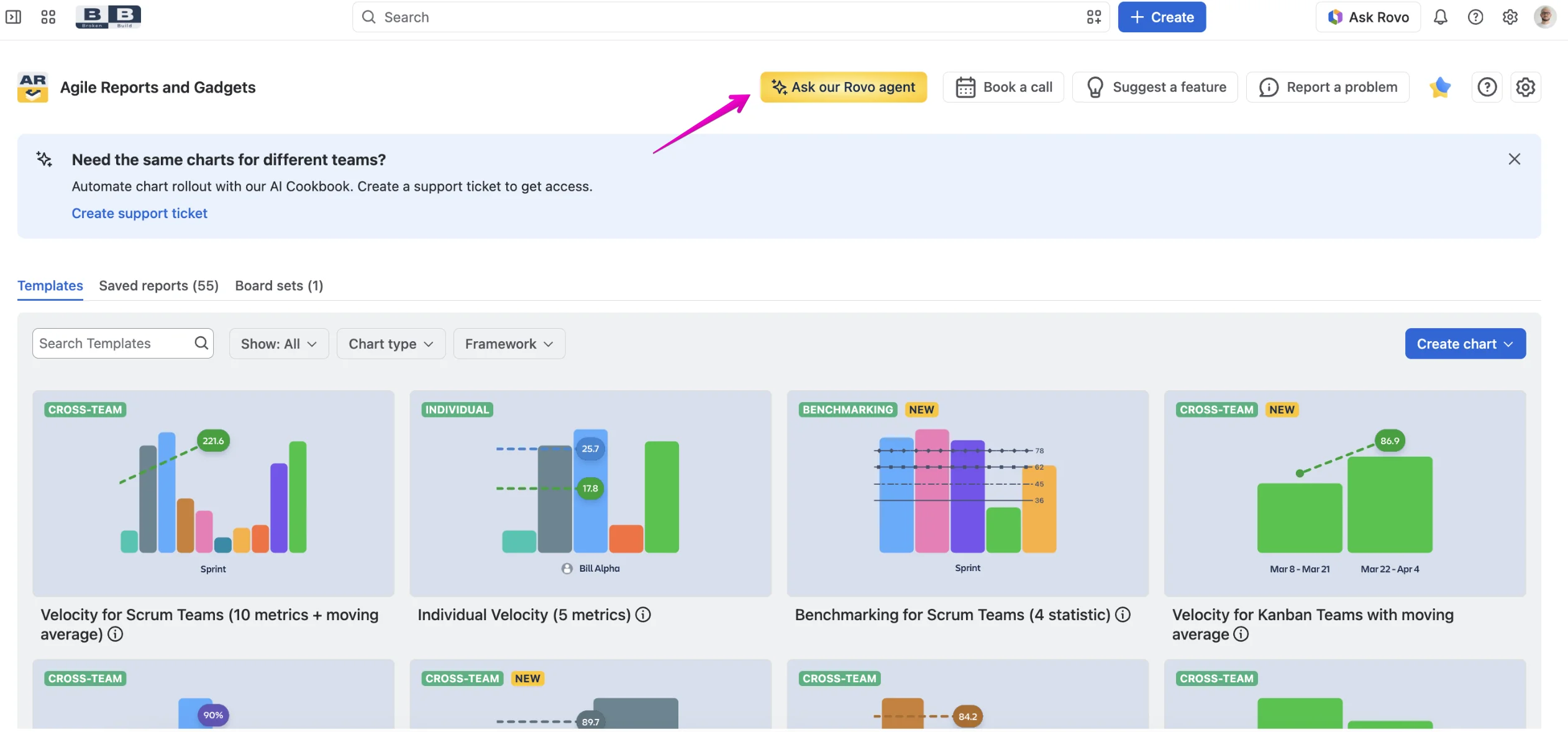
On the Getting started page, the Ask our Rovo agent button appears in the header bar – right next to Book a call, Suggest a feature, and Report a problem.
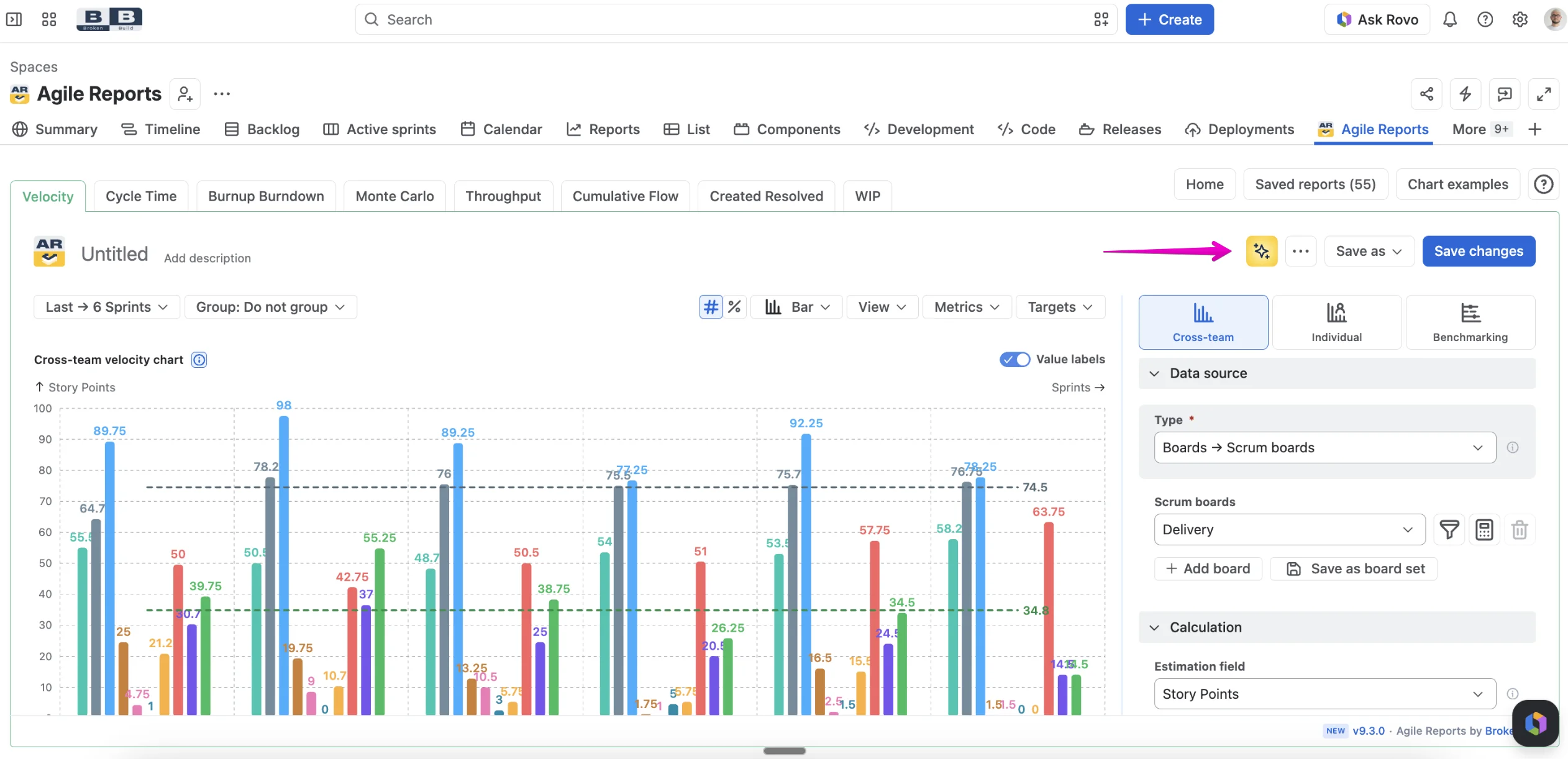
Inside chart views, a sparkle icon in the toolbar opens the same dialog – so you can ask a question without navigating away from the chart you're working on.
Start with a suggested question
The Ask Rovo dialog comes with pre-built suggested questions that cover the most common scenarios:
- What does this chart tell me? – when you're reading a report and want to understand what the data represents.
- Where is the estimation field configured? – when you're looking for a specific setting in the configuration panel.
- The chart looks wrong – what should I check? – when the numbers or the visualization don't match your expectations.
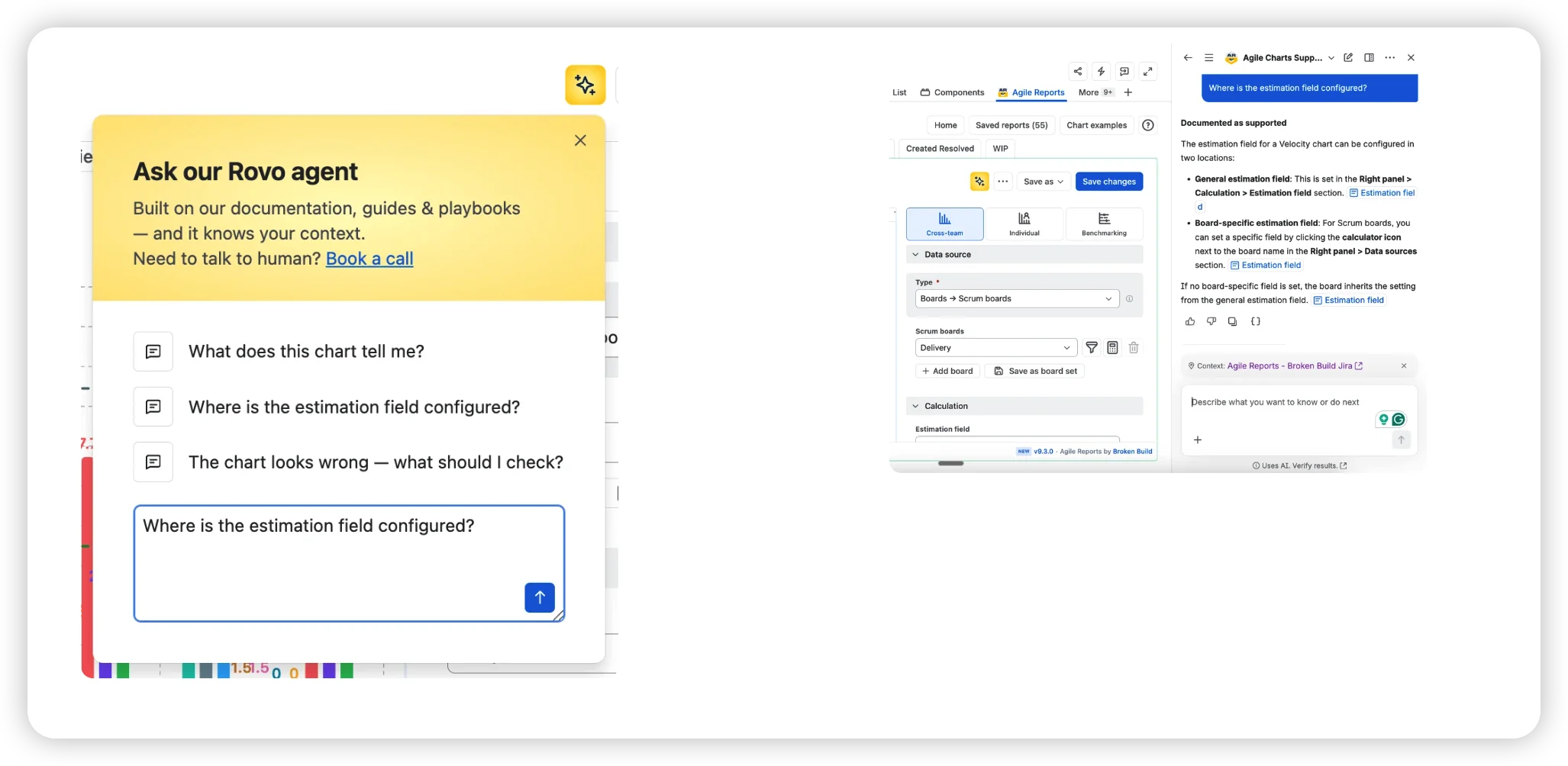
You can also type a custom question. Either way, the dialog hands your query to Rovo chat with the relevant product context already loaded.
Context-aware answers
The key difference from a standard documentation search is context. When you open Ask Rovo from Agile Reports, it loads the support agent and passes along information about where you are in the app – which report you're viewing, which configuration screen you're on. The answers come back aligned to your current workflow rather than as generic documentation excerpts.
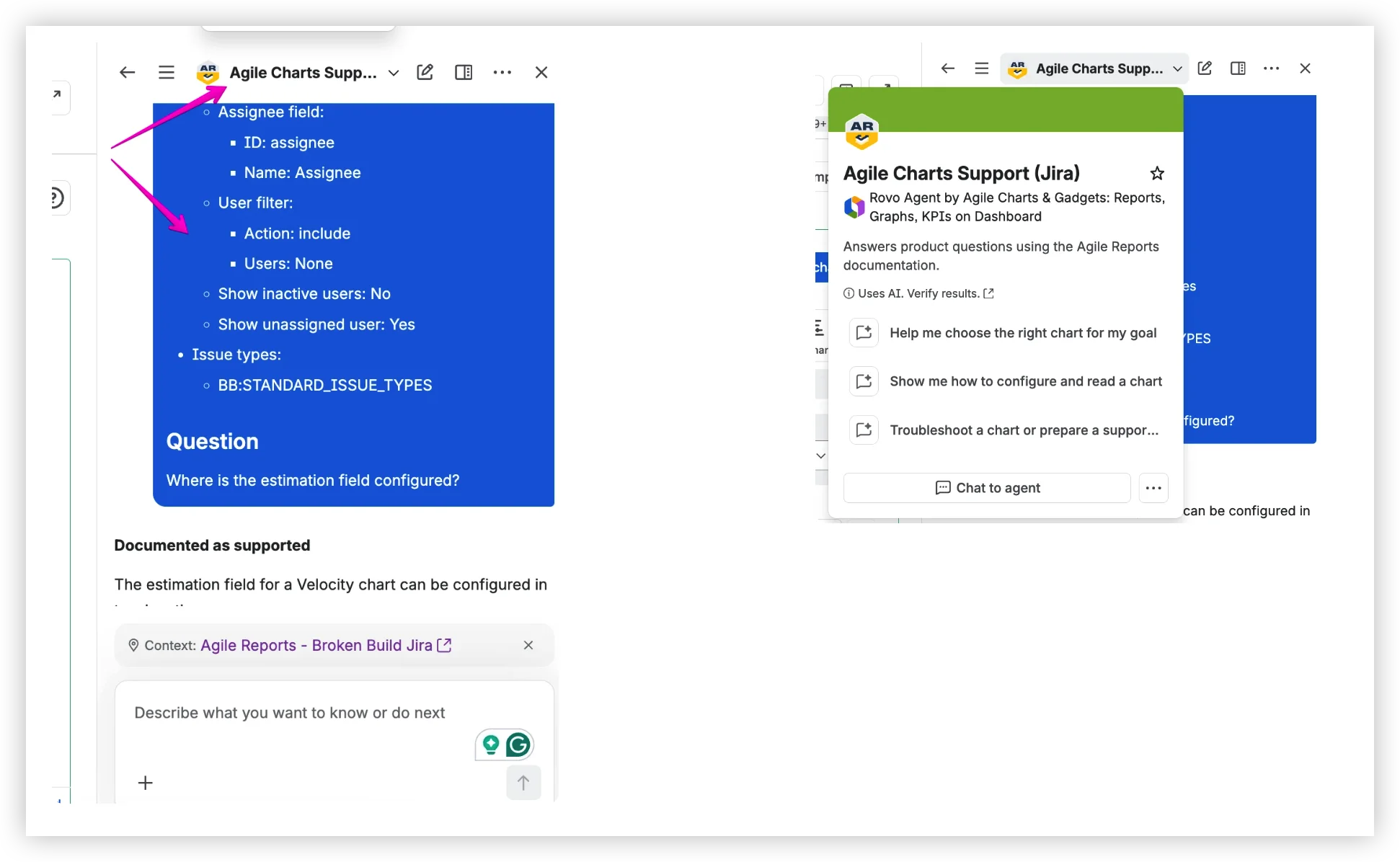
The agent behind this – Agile Charts Support (Jira) – is trained on the Agile Reports product documentation. It provides step-by-step guidance and links to the relevant documentation sections.
This is a documentation assistant, not a general-purpose AI. When a question falls outside what the docs can answer, the Book a call link is right there in the same dialog header.
Try it in your Jira instance
The Rovo support agent ships with Agile Reports and Gadgets 9.4.0 for Cloud.
- Make sure your instance is running version 9.4.0 or later.
- Open any chart or navigate to the Getting started page.
- Click Ask our Rovo agent in the header bar or the sparkle icon in the chart toolbar.
- Choose a suggested question or type your own.
If you need a human instead, Book a call, Suggest a feature, and Report a problem are one click away from the same toolbar.


Help that stays where the work happens
Reporting tools generate the most questions at the moment of use – during configuration, while reading a chart, or when a number doesn't match expectations. That's exactly when switching to external documentation costs the most. The Rovo support agent in Agile Reports and Gadgets 9.4.0 keeps the answers inside the same window where the question comes up – no tab switching, no search-and-scroll, no mental mapping from a docs article back to the screen you left behind.
This is the first version of the agent. It covers the product documentation today, with suggested questions for the most common scenarios and context-aware answers aligned to the report or configuration you're working with. As the knowledge base grows, so will the agent's ability to help – but the core idea is already here: help should live where the work lives.



.png)